
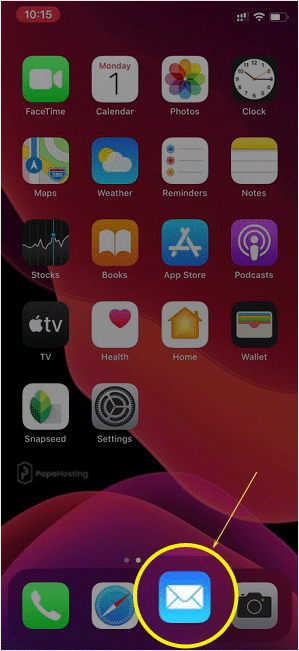
1. Open the main screen of your Apple Mobile and click on the Mail icon.
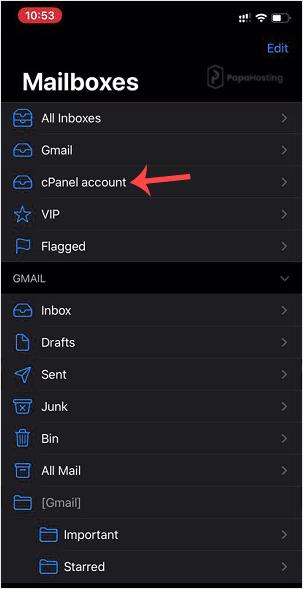
2. Under Mailboxes, tap on your email account.
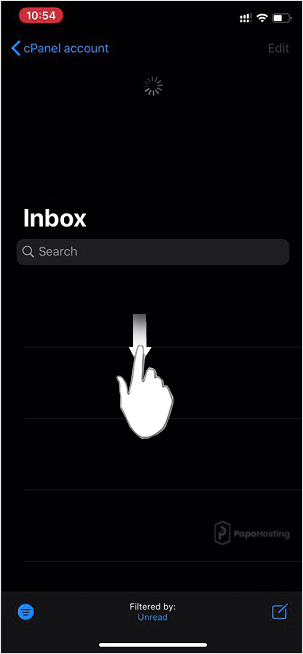
3. If it automatically starts syncing, you will need to wait for a few seconds. Otherwise, tap and hold on screen from the top of the inbox, pull down, and then release. It will start checking for new emails.
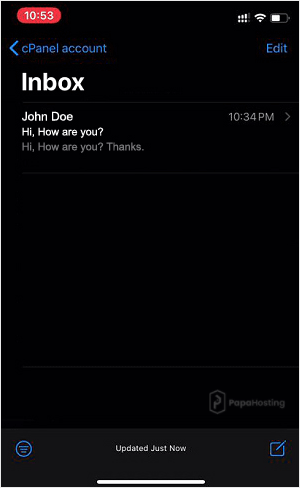
4. Congratulations. You learned how to check emails manually. If you receive a new email, it will display on the screen. If you don’t have new email messages, you will see an empty box.
Note: If you want to automatically sync messages every 15 to 30 minutes or do it manually yourself, we suggest that you go through our Automatically sync/fetch email tutorial.