You can reply to an email using Mozilla Thunderbird instead of the cPanel Webmail.
1. Open Mozilla Thunderbird.

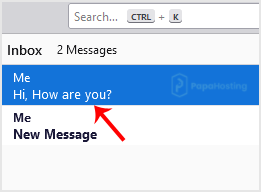
2. Click on the email you wish to open twice.
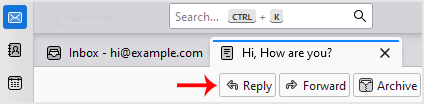
3. Click on Reply.
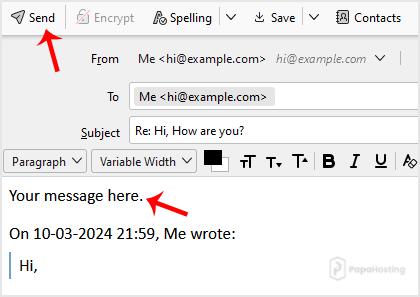
4. Type your message in the message box and click on Send.

You can reply to an email using Mozilla Thunderbird instead of the cPanel Webmail.
1. Open Mozilla Thunderbird.
2. Click on the email you wish to open twice.
3. Click on Reply.
4. Type your message in the message box and click on Send.